Available on the App Store

Chapper
A powerful, privacy-first AI chat client for iPhone and iPad. Connect to any local or remote AI server and have full, unrestricted control over your conversations.
A powerful, privacy-first AI chat client for iPhone and iPad. Connect to any local or remote AI server and have full, unrestricted control over your conversations.
Chapper is not a wrapper. It is a full-featured AI client engineered for people who want real control over their conversations. Chapper is optimized for LM Studio and also works with any OpenAI-compatible endpoint. Now at version 1.2.0.
Real-time token streaming so responses appear as they are generated. Connect to any LM Studio or OpenAI-compatible server over your local network or the internet.
Works natively with LM Studio, Ollama, llama.cpp server, and any OpenAI-compatible API. Point Chapper at any endpoint and it connects.
Full support for models with reasoning / chain-of-thought output. The thinking process is displayed inline, collapsible, so you can follow every step.
Full markdown rendering including code blocks with syntax highlighting, tables, lists, and headings. Toggle it off instantly if you prefer plain text.
Full-text search across all conversations. Pin important chats to the top. Every conversation is stored locally — your data never leaves your device by default.
Request JSON-formatted responses with a custom schema. Chapper handles the formatting layer so your model output is always machine-readable when you need it.
Three TTS modes: native iOS voices, a local on-device Kokoro/ANET model, or your own TTS server. Auto-read responses aloud with continuous conversation mode.
Browse, download, and load models directly within the app. Configure context length, eval batch size, flash attention, and GPU KV-cache offload per model.
Carefully tuned haptic responses throughout the interface. Every tap, send, and completion feels deliberate. Toggle off entirely if you prefer silence.
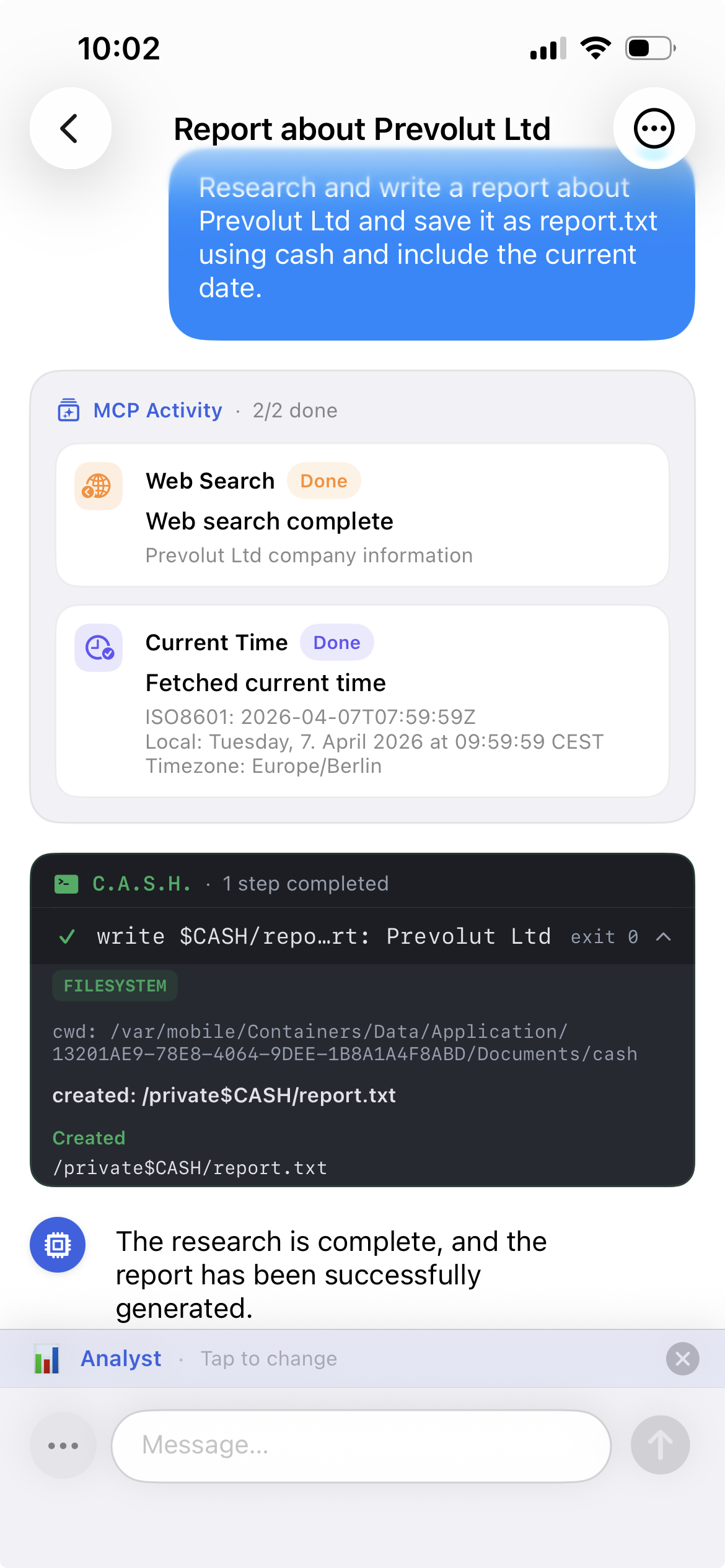
Use tools directly inside conversations — web search, URL fetching, file reading, directory listing, memory lookups, server status checks, and more. Loop protection prevents runaway tool chains.
Paste any URL and Chapper fetches its content automatically. Choose light or deep context mode to inject webpage content directly into the conversation — ideal for summaries, analysis, and Q&A over live pages.
Group conversations into folders, add tags, and use drag-and-drop to organise. Rich chat rows show summaries and metadata at a glance — built for large collections.
Save information across sessions and have it injected as context automatically. Look up memories from inside chat via the tools interface. Useful for recurring preferences, facts, and workflows.
A built-in scratchpad for drafting prompts, collecting notes, links, and Markdown — before committing anything to the main chat. Keeps your workspace clean while you think.
Track model usage, message counts, tool calls, and export activity over time. A full dashboard gives you visibility into how you use Chapper and which models you rely on most.
Chapper Adaptive Shell Host. Run structured shell-style workflows directly inside chat. Automate repeatable tasks, chain tool calls, and extend what Chapper can do without leaving the app.
Test and inspect raw API requests directly from the app. Send custom payloads, inspect responses, and debug server behaviour without leaving Chapper — built for power users and developers.
Send images and files directly in chat. Works with vision-capable models for image analysis, document Q&A, and multimodal workflows — all handled natively within the conversation.
No subscription. No monthly fee. Buy Chapper Pro once and every feature we ever add is automatically yours.
Free users are limited to 20 conversations. Pro removes the cap entirely — every conversation, forever, always searchable.
Full access to temperature, Top-K, Top-P, Min-P, TFS-Z, repeat penalty, presence penalty, and frequency penalty. Precision control over every response.
Export conversations as PDF, HTML, Markdown, JSON, CSV, or XML. Your data, exactly the format your workflow needs.
20 exclusive icons — Deep Red, Beach, Sky Blue, Emeraude, Sunset, Dark Green, Purple, and more. Make Chapper unmistakably yours.
Create unlimited custom AI personas with distinct tones, instructions, and languages. Build and manage a personal prompt template library.
C.A.S.H., Web search, URL fetching, file access, memory lookups, server checks, and export triggers — all available directly from inside chat.
Store and retrieve information across sessions. Context from saved memories is injected automatically so the model always knows what matters to you.
Full usage dashboard — model statistics, message counts, tool usage, and export activity. Understand your usage patterns at a glance.
Keep your conversations, personas, and prompt templates in sync across all your devices via iCloud — automatically, without any manual steps.
One purchase. Every Pro feature we add to Chapper is included automatically — no subscriptions, no upsells, no extra costs. Pay once, get everything, forever.
One-time purchase — No subscription · No hidden fees
Chapper is built natively in Swift and SwiftUI. No cross-platform shortcuts. No compromises on performance or platform integration.
Available now on the iOS App Store. Free to download, no account required — just connect to your server and start chatting.
Questions? Get in touch with Prevolut.